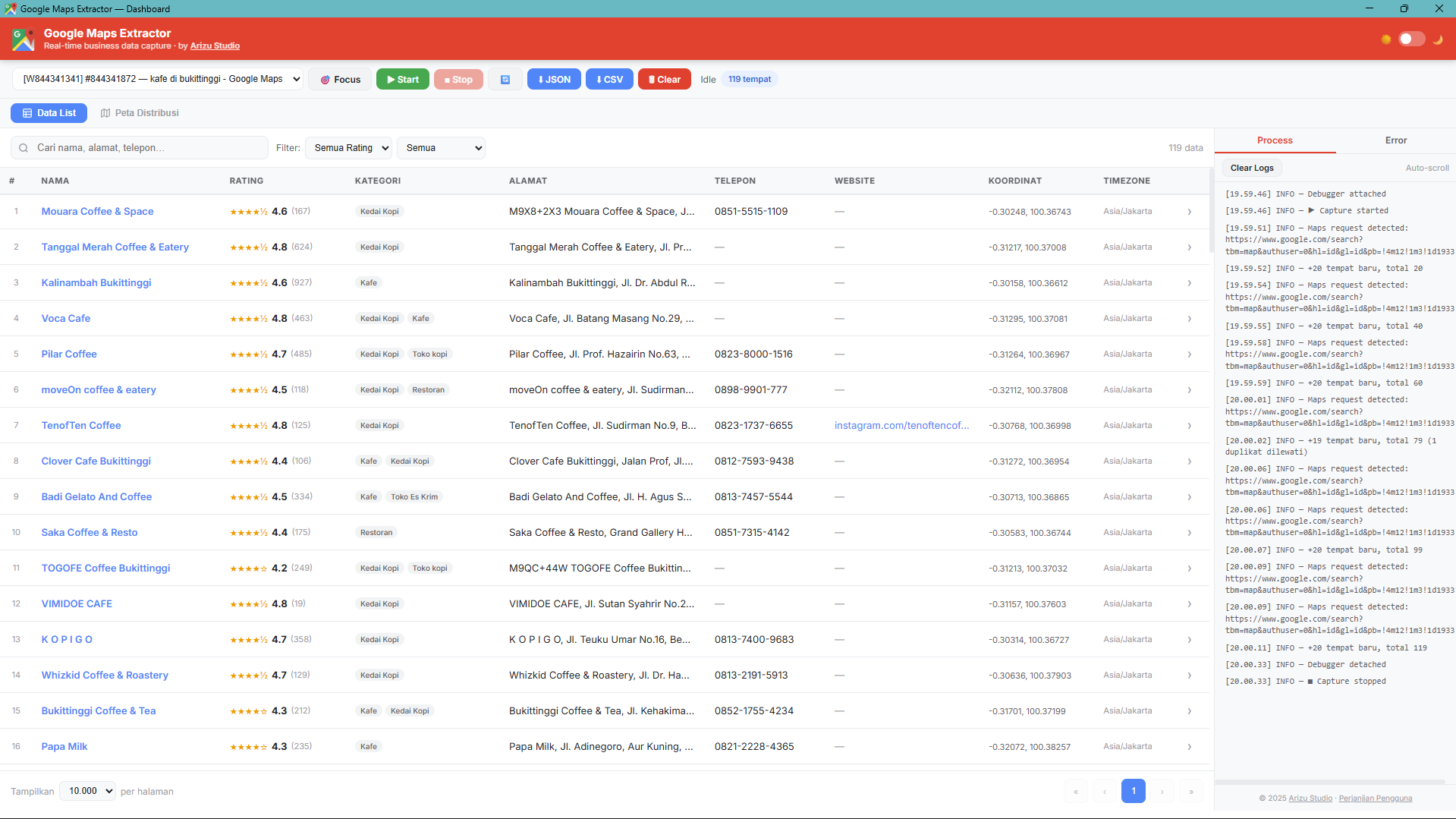
Real-time Dashboard — interactive table with filter, sort, and export
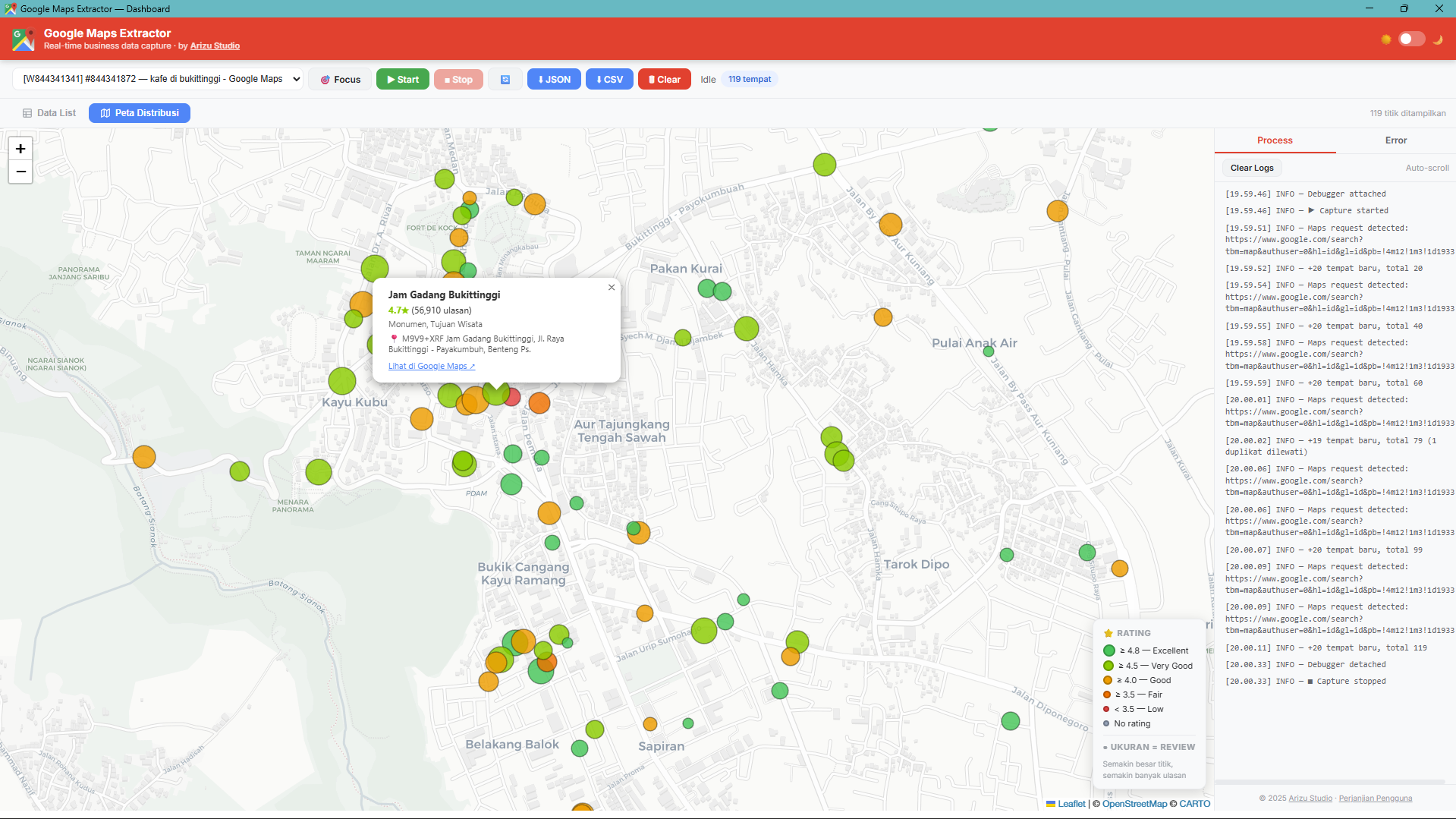
Distribution Map View — geospatial visualization with rating pins
Capture names, ratings, phones, GPS coordinates, opening hours, and websites from hundreds of businesses on Google Maps — directly from Chrome, no coding required.
Real-time Dashboard — interactive table with filter, sort, and export
Distribution Map View — geospatial visualization with rating pins
Complete features for business research, market analysis, and location data collection
Intercepts Google Maps network responses as they happen — no page scraping, no delay.
High-precision latitude and longitude for every business — ready for geospatial analysis.
Star rating, review count, price level, and best review snippet per place.
Phone numbers and website URLs captured automatically from Google Maps profiles.
Full open/close schedule for every day of the week (Mon–Sun).
Places are never added twice even when scrolling multiple times or switching queries.
Interactive map with color-coded pins by rating and size scaled by review count.
Download your full dataset in structured JSON or CSV that opens directly in Excel.
Start collecting business data in minutes
Download ZIP, extract to a permanent folder, load in Chrome Developer Mode. No Web Store needed.
Search for businesses on Google Maps, e.g. "coffee shop in New York".
Open the extension Dashboard, select the Google Maps tab, click ▶ Start. Data is captured automatically.
Scroll the results list to load more data, then export to CSV or JSON anytime.
No subscriptions, no hidden fees — pay once and use it for good
All the information you need from a single data collection session
Everything you need to know before you order
It's a one-time purchase of Rp 200.000 — no monthly fees. Order directly via Lynk.id or WhatsApp.
Business name, rating, review count, phone number, website, GPS coordinates, price level, and opening hours for every place on Google Maps.
No. It's a point-and-click Chrome Extension — install it, open Google Maps, click Start, then export to CSV or JSON.
After completing payment on Lynk.id, you'll get access to download the extension files and documentation.
Get Google Maps Extractor for Rp 200.000 and start your market research more efficiently today.