

Pinball game for TikTok LIVE, version 1.0.0
Bumper Blitz
Your chat plays pinball.

How to play
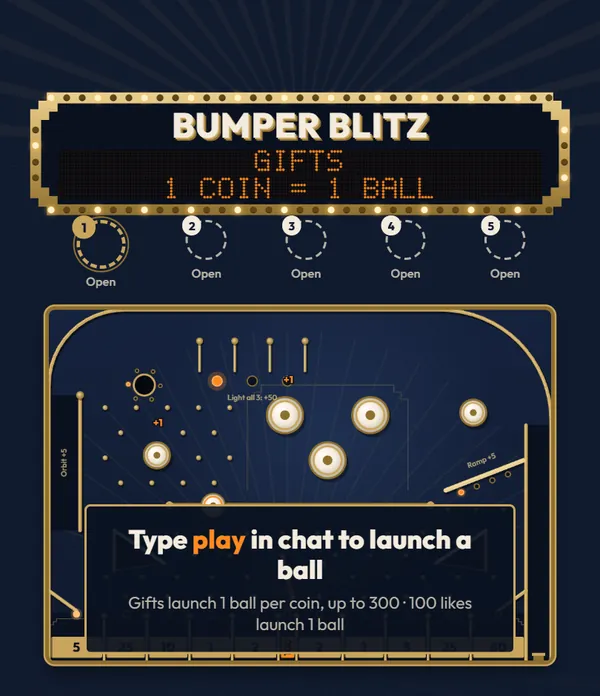
A viewer types play and the plunger fires a steel ball with their name on it. The ball runs the lanes, bounces off the bumpers and drops into one of eleven score slots, and its points go to that viewer. Likes and gifts launch more balls.
$13
One-time, buyer fee included
Tools License on CodeCanyon
One ball, from chat to leaderboard
Follow a single ball down the table. Up to 60 roll at once by default, each one carrying its owner's name.
-
Stop 1: Chat
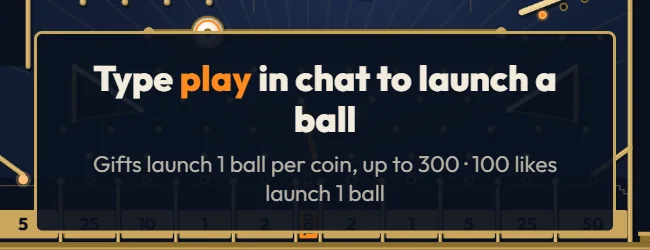
A viewer types play
play, main or go in chat launches one steel ball with that viewer's name on it, once every 5 seconds per viewer. Every 100 likes launch one more, and gifts launch 1 ball per coin.
-
Stop 2: Plunger
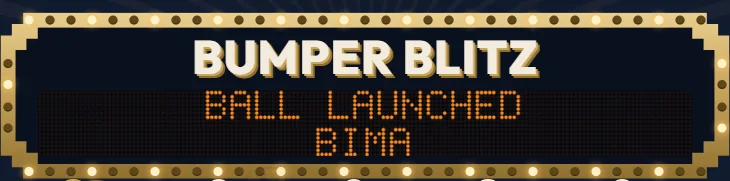
The plunger fires
Waiting balls take turns per player and leave every 0.25 seconds with a random power, so a 300-ball gift never blocks a single chat ball. The display names whose ball just launched.
-
Stop 3: Table
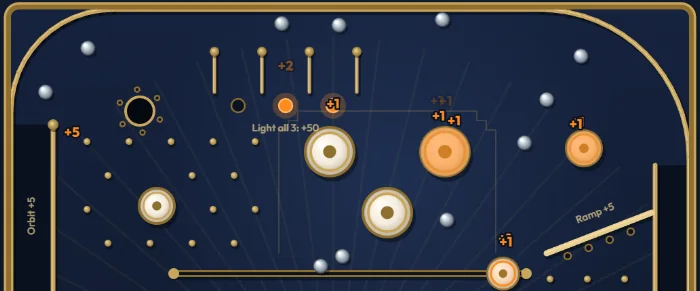
It runs the table
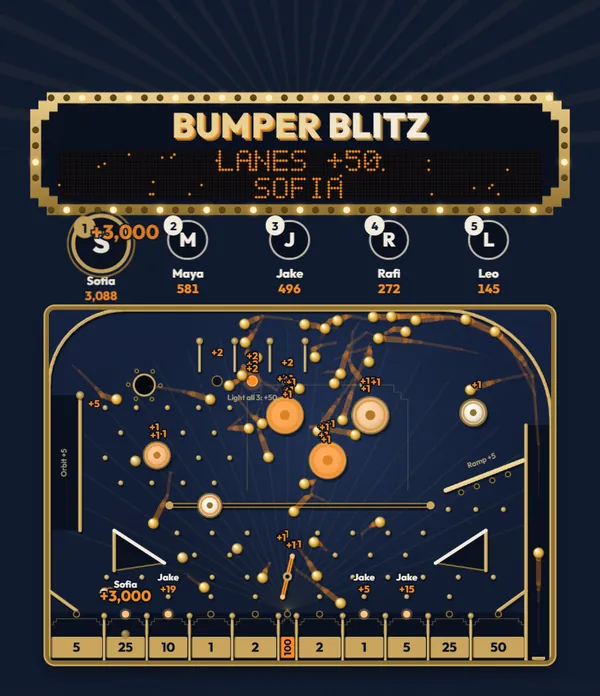
The orbit, the rollover lanes, the ramp, the kickout hole and the bumpers add points while the ball falls through the pegs.
-
Stop 4: Slot
It drops into a slot
Eleven slots pay from 1 to 100. The slot value joins the points from the way down, and gold balls multiply the total.

-
Stop 5: Leaderboard
The viewer climbs the board
Points add up per viewer with no rounds. The top players show as avatar circles above the table, and the board is kept when the server restarts.

The table, part by part
Each part of the table adds points to a ball on its way down. Pick a part to see where it sits.
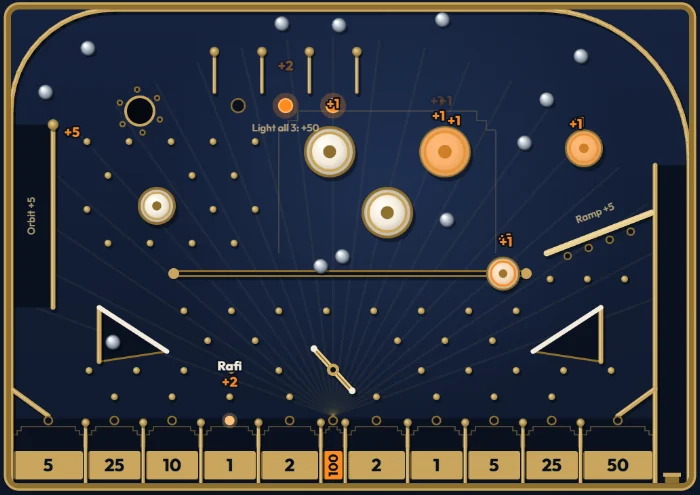
Plunger
Random power
Each ball is fired up the lane on the right with a random power, so balls take different paths. Waiting balls fire one every 0.25 seconds.
Left orbit
+5
Strong shots run around the top of the table and come down the left side. It counts once per ball.
Rollover lanes
+2, bonus +50
Each of the three lanes lights its lamp and pays 2 points. The ball that lights the third lamp earns the 50-point bonus, and the lamps reset.
Kickout hole
+10
A saucer at the top left holds one ball for 1.4 seconds, then kicks it back out. It counts once per ball.
Pop bumpers
+1 per hit
Five ivory bumpers kick the ball away on every touch.
Ramp
+5
The brass ramp on the right catches weak shots and feeds them back to the bumpers. It counts once per ball.
Moving bumper
+1 per hit
A bumper slides back and forth along a rail across the middle of the table.
Slingshots
No points
Two rubber kickers above the pegs knock balls back into the field.
Windmill
+1 per hit
A brass bar turns above the jackpot and sweeps balls sideways.
Score slots
1 to 100
Every ball ends in one of eleven slots and adds its value. The narrow slot in the center is the 100-point jackpot.
Eleven slots, left to right
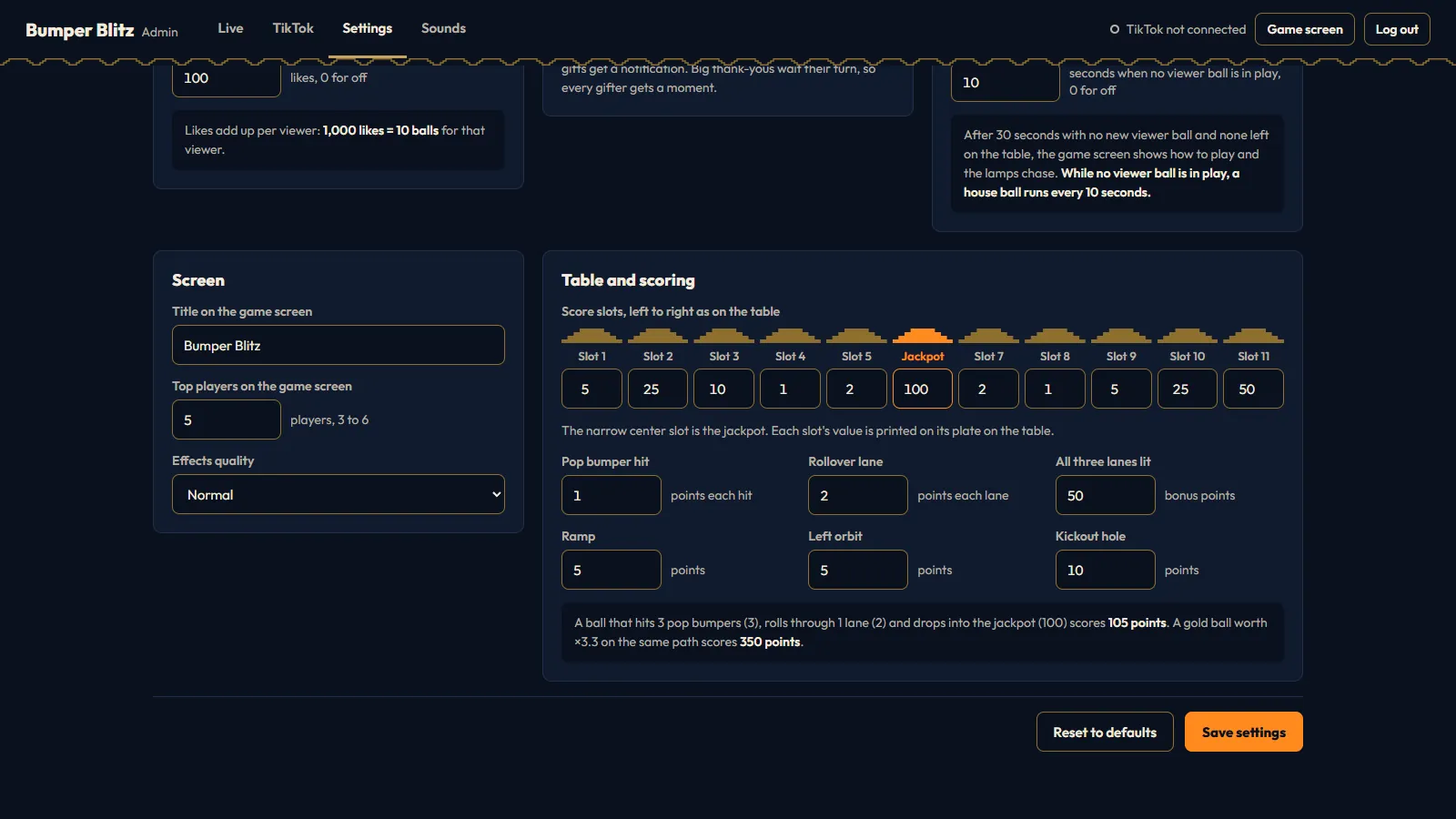
The narrow slot in the center is the jackpot. Every slot value is a setting, from 0 to 1,000,000.
- 5
- 25
- 10
- 1
- 2
- 100 points, jackpot
- 2
- 1
- 5
- 25
- 50
How one ball is scored
Points on the way down plus the slot value, times the ball's multiplier.
33 bumper hits+21 rollover lane+100jackpot slot=105points
Steel and brass balls count once. A gold ball from a 3,000-coin gift on the same path scores 105 × 10 = 1,050.
The thank-you grows with the gift
Every gift is thanked on screen, sized by its total coin value. Banners and spotlights wait their turn, so each gifter gets a full moment.
-
1to 9 coins
A notification
A short card with the gift and the balls it sent, and the balls fire at once. Every 100 likes get the same card.

-
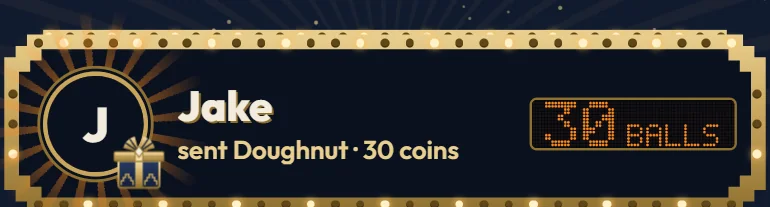
10+coins
A marquee banner
The sender's photo, the gift, a dot-matrix ball count and fireworks across the top. The gift's balls fire when the banner appears.
-
500+coins
A full-screen spotlight, then the multiball
The sender's photo, a tray that fills with balls, about 12 fireworks and its own sound. As the spotlight ends, the balls pour out of the tray and the first 40 fire in a fast stream.

Gold balls keep a big gift worth its coins
Gifts launch 1 ball per coin, up to 300. Above 300 coins a gift sends 300 gold balls, and each one's points are multiplied by the gift's coins divided by 300. The ball cap and both thank-you limits are settings.
- Rose combo of 1010 brass balls
- Galaxy, 1,000 coins300 gold balls x3.3
- Lion, 29,999 coins300 gold balls x100
When chat goes quiet, the table keeps moving
Like a real machine waiting for a player, Bumper Blitz has an attract mode for the slow minutes of a LIVE.
- House balls
- A grey computer ball rolls every 10 seconds while no viewer ball is in play. House balls never score, never reach the leaderboard and always wait behind viewers' balls.
- Attract mode
- After 30 seconds without a viewer ball, the lamps chase around the table and a card asks viewers to type the chat word. The next viewer ball ends it.
- Pause
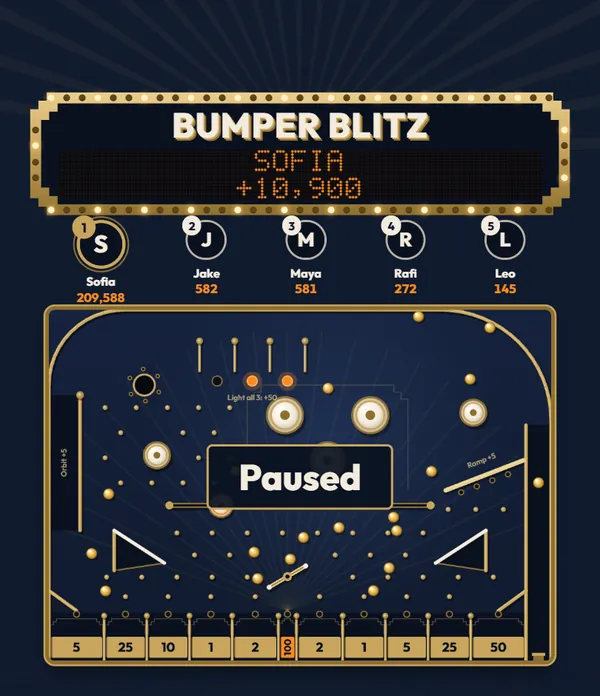
- Freeze every ball while you talk to chat. Chat, likes and gifts still line balls up at the plunger, and they fire when you resume.
- Light effects
- For a slower streaming PC, Light draws the table at half resolution and 30 frames per second with fewer fireworks.
Laid out around the LIVE app
On a phone, the LIVE app draws its header over the top of your stream and its chat over the bottom. Bumper Blitz keeps everything that matters in between.

- Top 8.5%
- Left clear for the LIVE header with your name and the viewer count.
- 9% to 62%
- The backbox, the leaderboard, the table, the gift banners and the spotlight.
- Bottom 38%
- A calm lower cabinet. The chat, the gift bar and the comment field can run over it without hiding anything that matters.
The screen is locked to 9:16. Add it as a 1080 x 1920 Browser Source, and for a horizontal stream scale it down in OBS. Refreshing the source or restarting OBS is safe, because the table keeps running on the server.
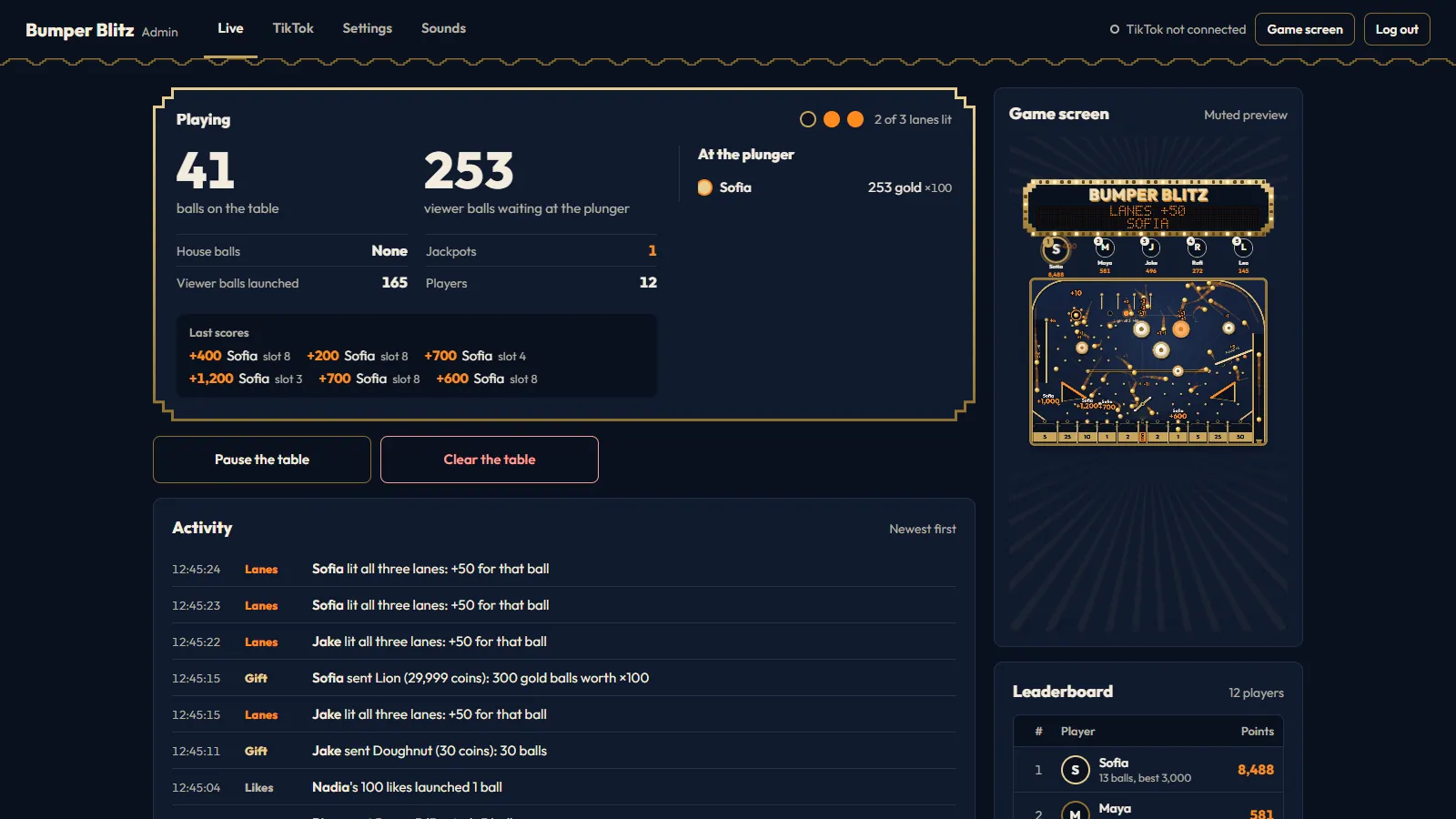
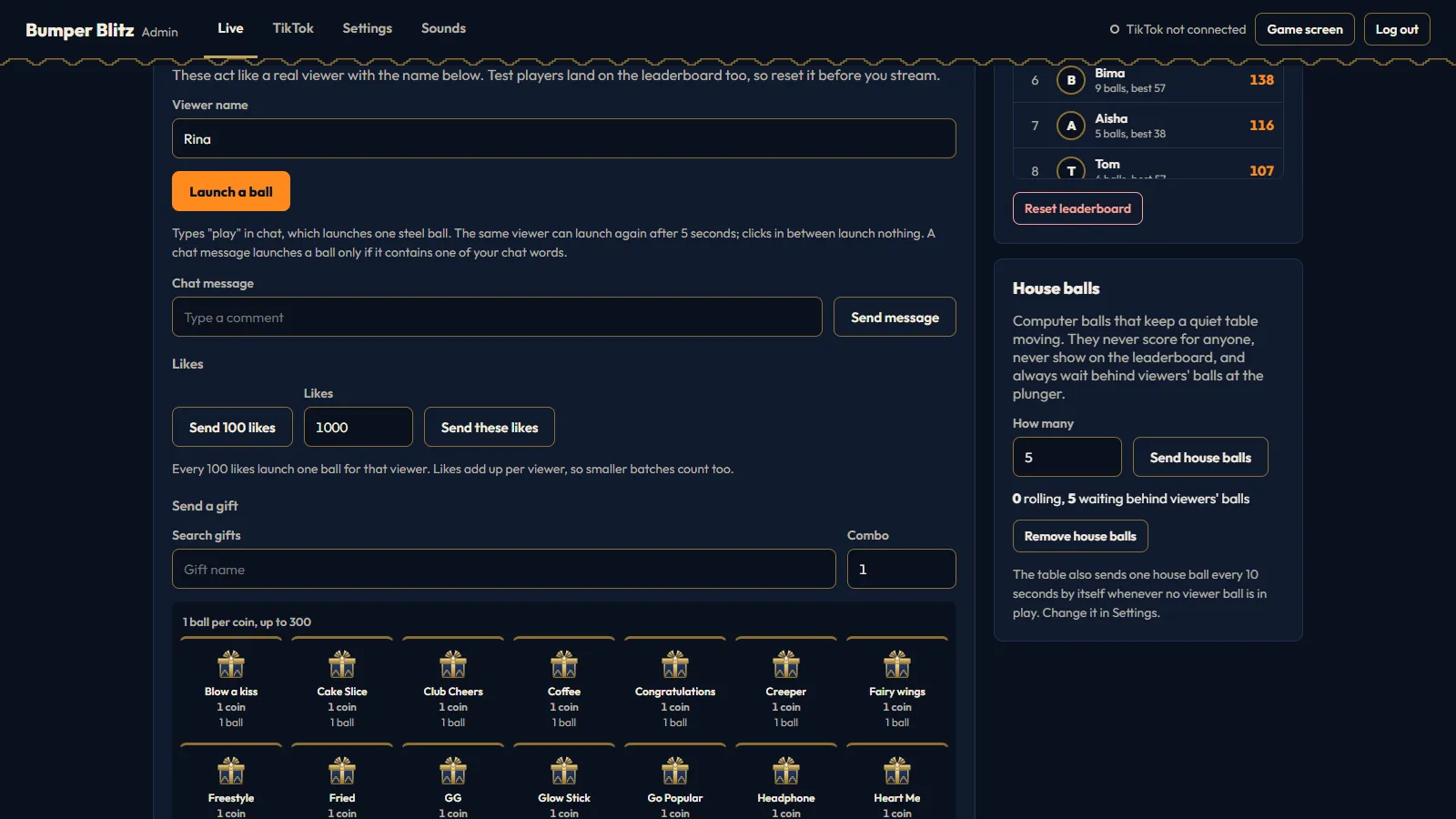
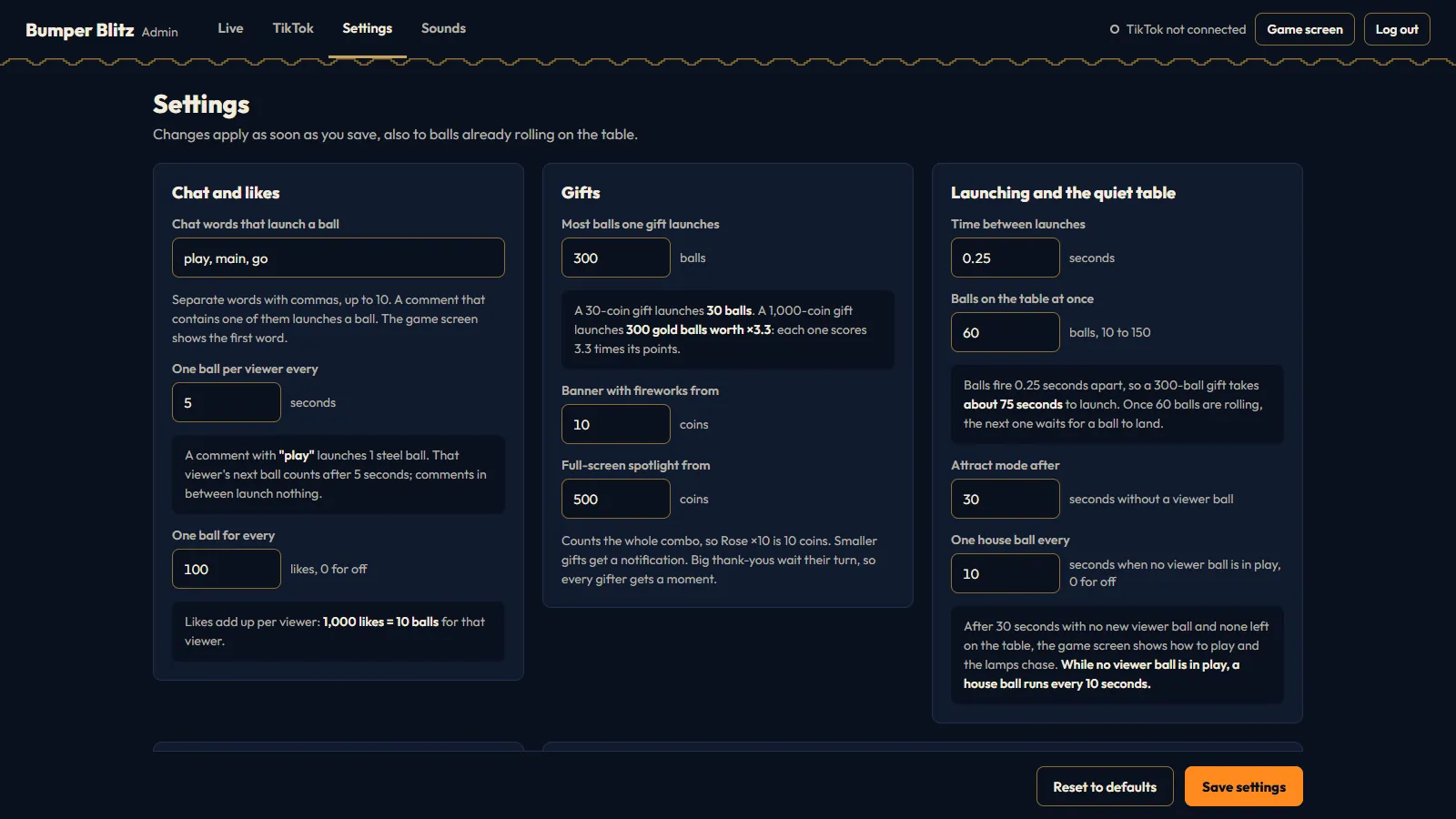
Your control room
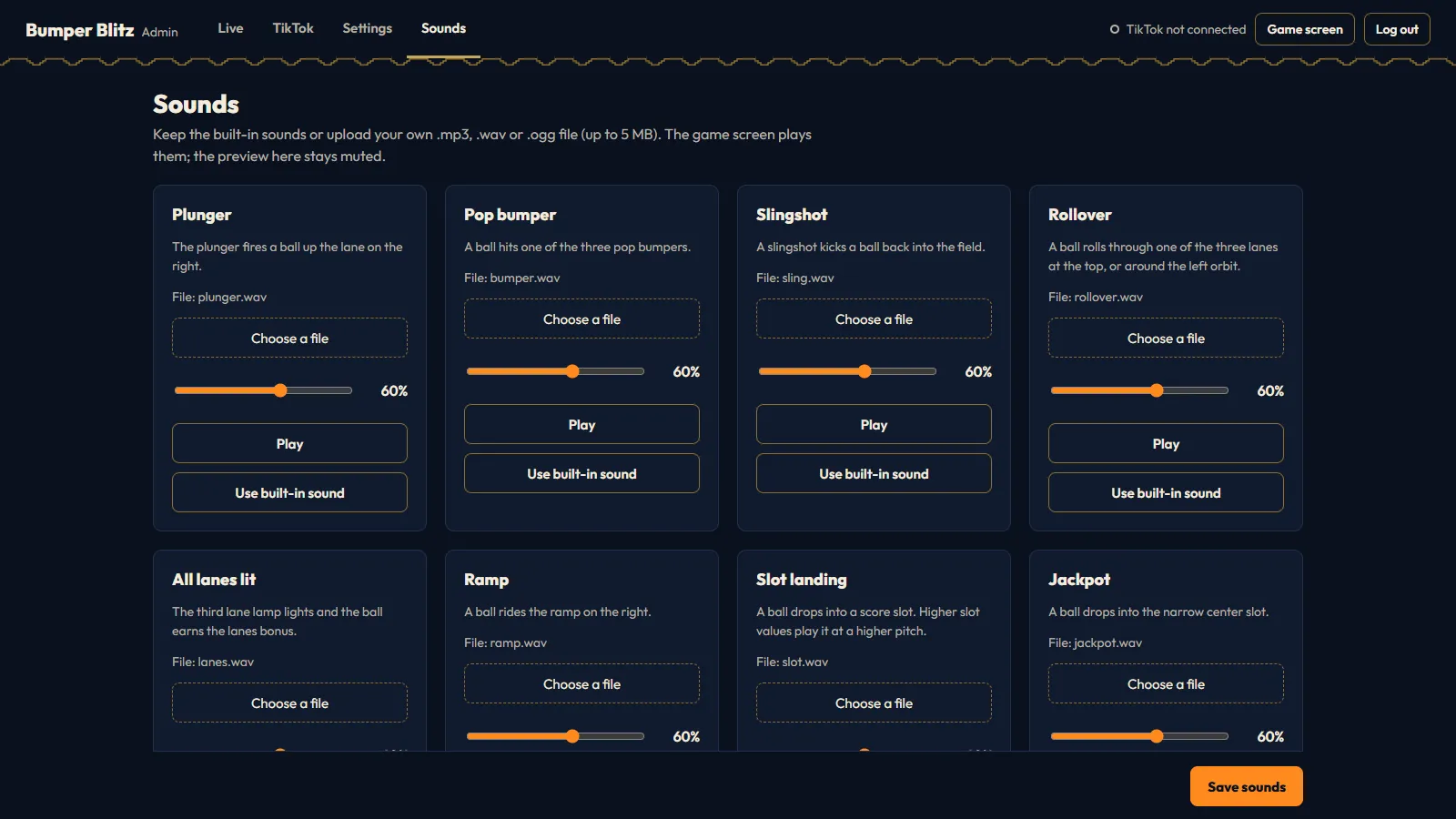
The Admin Panel runs in the browser, and on a phone on the same Wi-Fi. Changes reach the running game straight away, without a restart.

What you download
Version 1.0.0, first released on 28 October 2026. Updates are free from your CodeCanyon Downloads page.
- 10original sound effects, each replaceable with your own file
- 4Admin Panel tabs: Live, TikTok, Settings and Sounds
- 2start scripts: START_GAME.bat and start_game.sh
- 21documentation sections, with screenshots
In the package
- Full Python, HTML, CSS and JavaScript source code. The table, the balls, the dot-matrix display and the effects are drawn in code.
- Flask, Flask-SocketIO and TikTokLive install from PyPI through requirements.txt or the start script.
- CREDITS.txt with the license of every bundled library and font.
- No TikTok gift artwork. While the game runs it shows the gift pictures from TikTok's own servers, and its own gift box where none is available.
In version 1.0.0
- Chat words, likes and gifts launch balls, with turns per player at the plunger.
- Gold balls with multiplied points for gifts above 300 coins.
- Three paths, a moving bumper, a windmill over the jackpot and a kickout hole.
- Thank-yous in three sizes, ending in a multiball for the biggest gifts.
- A leaderboard of avatar circles, kept between restarts.
- The Admin Panel on phones, with a new password at every start.
From download to live in five steps
- Step 1
Install Python 3.10+
On Windows, tick Add Python to PATH in the installer.
- Step 2
Run the start script
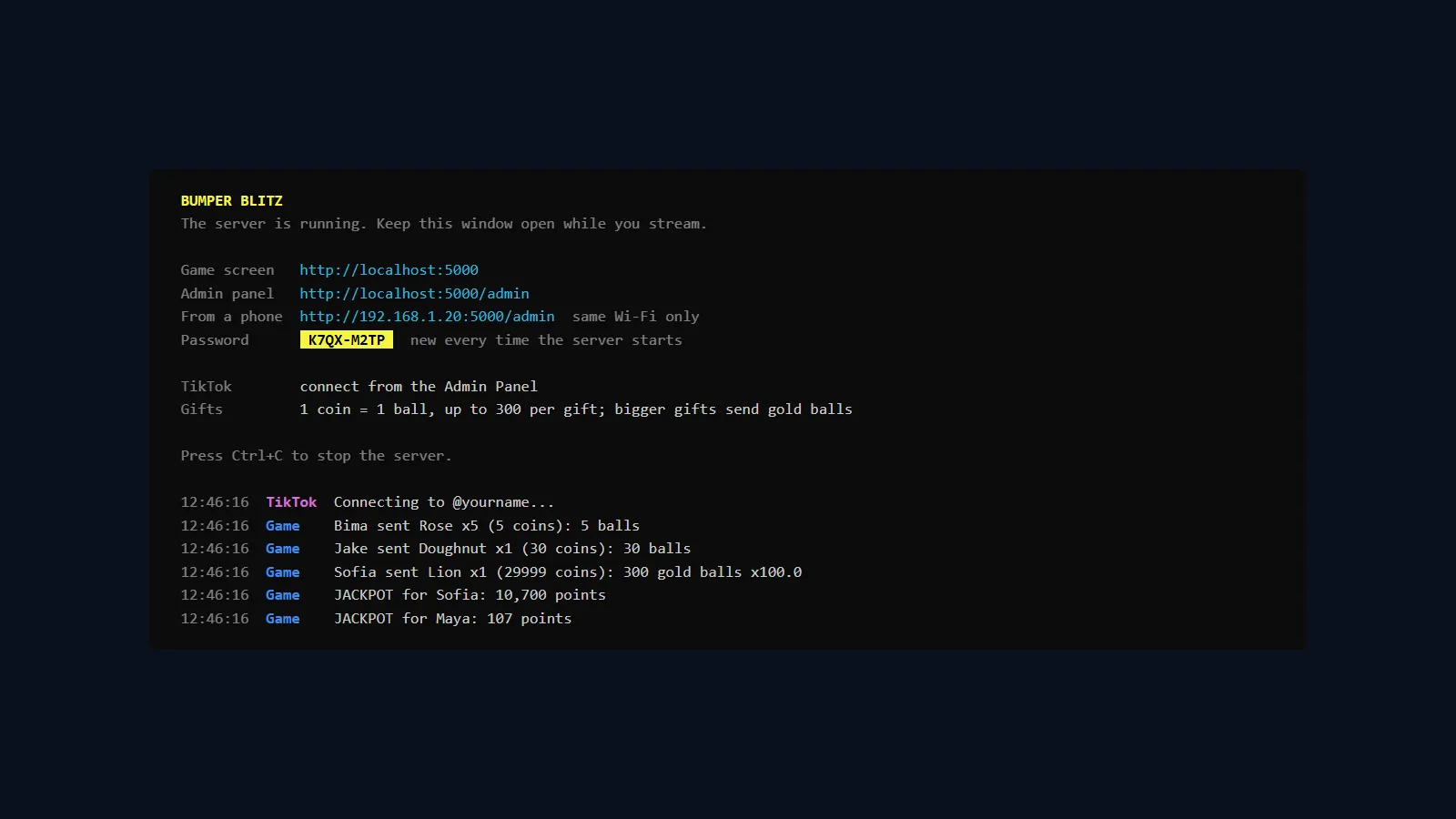
Open the Source folder and double-click START_GAME.bat, or run start_game.sh on macOS and Linux. The first start installs the Python packages, which takes about a minute.
- Step 3
Copy the password
The server window shows a new Admin Panel password at every start. Keep that window open while you stream.
- Step 4
Add the Browser Source
In OBS or TikTok LIVE Studio, add a Browser Source at http://localhost:5000 with a width of 1080 and a height of 1920.
- Step 5
Test, then connect
Open localhost:5000/admin and launch a test ball. Then go live, type your username in the TikTok tab and click Connect.
pip install -r requirements.txt
python app.py
Requirements
- Operating system
- Windows 10 or 11. A start script for macOS and Linux is included.
- Python
- 3.10 or newer
- Streaming app
- OBS Studio, TikTok LIVE Studio, Streamlabs Desktop or another app with a Browser Source
- Browser Source
- 1080 x 1920, locked to 9:16
- Internet
- A connection for the LIVE data and TikTok's gift pictures
- TikTok
- An account that can go LIVE. The game never asks for your TikTok password.
Pay once, run it on your own PC
Bumper Blitz is sold on CodeCanyon. The game server, the table and your leaderboard all run on your own computer.
- Full Python, HTML, CSS and JavaScript source code
- The pinball table with eleven editable score slots
- Admin Panel with a test mode for chat, likes and gifts
- Ten original sound effects
- Documentation with screenshots and start scripts for Windows, macOS and Linux
Good to know
The live connection reads TikTok's unofficial LIVE data through the open-source TikTokLive library, and each connection is signed by Euler Stream, a third-party service. Changes on their side can stop the connection until the item is updated. Euler Stream's free plan has a daily limit; if you stream often you may need a paid plan, billed monthly by Euler Stream and not included in this price. TikTok is a trademark of ByteDance Ltd. Bumper Blitz is an independent product, not affiliated with, endorsed or supported by TikTok, ByteDance or Euler Stream.
Tools License, CodeCanyon
$13
One-time payment, buyer fee included
- Full source code
- Free updates from your Downloads page
- Item support through CodeCanyon
- Documentation included
Questions before you buy
Can I try it without going live?
Yes. The Live tab of the Admin Panel has a Test without going live card: launch balls, send chat messages, send likes and send any gift as a test viewer. Test players land on the leaderboard too, so reset it before your stream.
Which chat words launch a ball?
play, main and go by default. The word can stand alone or sit inside a comment, so "main yuk" works and "playing" does not. You can set up to 10 words in any language, and each viewer gets one ball every 5 seconds by default.
How do gifts turn into balls?
One ball per coin, up to 300 per gift. A gift worth more than 300 coins sends 300 gold balls, and each gold ball's points are multiplied by the gift's coins divided by 300, so a 29,999-coin Lion makes every gold ball score x100.
Will one big gift block everyone else?
No. Waiting balls take turns per player at the plunger: one ball for each viewer in line, then the next round. A viewer with one chat ball never waits behind a 300-ball gift.
Is where a ball lands random?
Partly. The plunger fires each ball with a random power and the pegs scatter it, so the landing slot is luck. The points for each part of the table are fixed, and you can change every one of them in Settings.
Does it need my TikTok password?
No. It only reads the public comments, likes and gifts of your LIVE, using your username.
Why does TikTok refuse the connection?
TikTokLive signs each connection through Euler Stream, whose free plan has a daily request limit. A rate-limit message usually clears after a few minutes, and a key from Euler Stream raises the limit. Also check that you are live on the account you typed, without the @.
The game is slow on my PC. What can I do?
Set Effects quality to Light in Settings. It draws the table at half resolution and 30 frames per second with fewer fireworks. You can also lower Balls on the table at once from the default 60.
Can I use my own logo and colors?
Yes. The title you set in Settings becomes the wordmark in the backbox. To show an image logo instead, save it as Source/static/logo.png and add the CSS lines from the documentation. The game colors are variables at the top of game.css.
What does the purchase include?
The full Python, HTML, CSS and JavaScript source code, the documentation with screenshots, ten original sound effects and start scripts for Windows, macOS and Linux. TikTok gift artwork is not included: while the game runs it shows the gift pictures from TikTok's own servers, and its own gift box where none is available.
Can I get a refund?
Refunds follow the Envato Market refund rules on CodeCanyon. They cover items that are not as described, do not work and cannot be fixed, have an unpatched security issue, or come without the promised support, within 180 days for supported CodeCanyon items. A change of mind is not covered. Contact us first so we can try to fix the problem.
Hand your chat the plunger
One purchase, running on your own PC. Test every ball and gift in the Admin Panel before you go live.