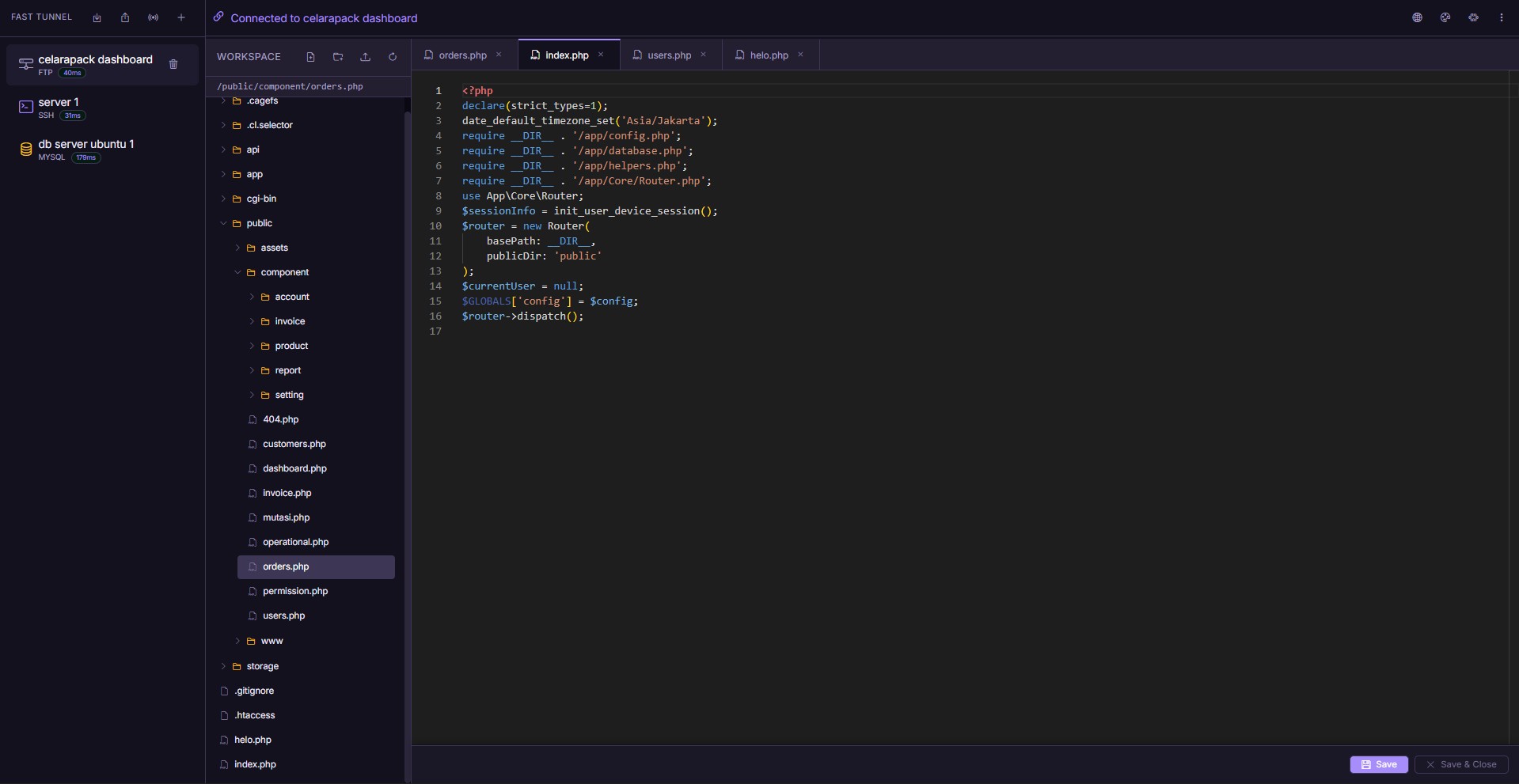
the complete server management dashboard — FTP, MySQL, and SSH in one place
Fast Tunnel replaces FileZilla, phpMyAdmin, and PuTTY with a single self-hosted PHP application — accessible from any browser on any device.
the complete server management dashboard — FTP, MySQL, and SSH in one place
Everything you need to manage a remote server, without installing a single desktop application.
Browse remote directories, drag-and-drop upload, rename, delete, and right-click context menus. Open and edit any text file with the built-in Monaco Editor — the same engine that powers Visual Studio Code.
Browse tables, run custom SQL queries, view and edit rows, add or drop columns, and truncate data — all from an inline editor with a formatted results grid. A practical replacement for phpMyAdmin.
A fully interactive PTY session powered by xterm.js, streamed in real-time via Server-Sent Events. Run long commands, monitor logs, and work with interactive CLI programs exactly as you would in a native terminal.
A complete toolkit designed around how developers actually work with remote servers.
Edit remote files directly in the browser with syntax highlighting, line numbers, and multi-language support — powered by the same engine as VS Code.
Execute custom SQL queries against any connected database and view results in a formatted, scrollable data grid. No page reloads required.
All stored credentials — FTP passwords, MySQL passwords, SSH keys — are encrypted with AES-256-GCM in your PHP session. Never written to disk in plaintext.
Save unlimited FTP, MySQL, and SSH connections and switch between them instantly. Export all sessions to an encrypted JSON file for backup or cross-device portability.
Drop a folder into plugins/ and it loads automatically on the next page request. No
restart, no config changes. Extend Fast Tunnel with any plugin.
A three-step installation wizard that checks system requirements, sets up the database automatically, and creates your admin account — no manual SQL import.
Multiple independent layers of protection — not just a login form.
Every FTP, MySQL, and SSH password is encrypted before being stored in the PHP session. Credentials are decrypted only at the moment a connection is established.
A cryptographically random token is issued per session and required as a request header on every API call. Requests without a valid token are rejected before any logic runs.
Table names, column names, and data types are validated through a strict whitelist before any query is constructed. All user data values go through parameterized queries.
Failed login attempts are counted per IP address. Repeated failures trigger a lockout period to limit brute-force attacks.
Temporary SSH session files are stored in a protected directory with an
.htaccess rule that blocks all direct HTTP access to that path.
// credentials encrypted before session storage
$key    = hex2bin(getenv('ENCRYPTION_KEY'));
$iv     = random_bytes(12);
$cipher = openssl_encrypt(
    $password,
    'aes-256-gcm',
    $key,
    OPENSSL_RAW_DATA,
    $iv, $tag
);

// CSRF token validated on every API request
$token = $_SERVER['HTTP_X_CSRF_TOKEN'];
if (!hash_equals($_SESSION['csrf_token'], $token)) {
    http_response_code(403); exit;
}

// SQL identifiers validated through whitelist
if (!preg_match('/^[a-zA-Z0-9_]+$/', $table)) {
    throw new InvalidArgumentException('invalid');
}
Clone, install dependencies, open the browser wizard. That is the entire process.
Pull the source from GitHub and install PHP dependencies with Composer.
Move the folder into your server's web root — htdocs/ for XAMPP or
/var/www/html/ for Apache on Linux.
Open /fast-tunnel/install/ in your browser. The wizard checks requirements, creates
the database, and sets your admin password.
Log in to the dashboard and add your first FTP, MySQL, or SSH connection. Sessions are saved and encrypted for next time.
$ git clone https://github.com/arizu-id/fast-tunnel.git
$ cd fast-tunnel
$ composer install
# then open http://your-server/fast-tunnel/install/ in your browser
Drop a folder into plugins/
and it loads automatically — no restart required.
Checks the reachability and response latency of all your saved server hosts. Confirms at a glance whether a server is online before you attempt a connection.
Extended functionality available as optional plugins for teams and power users who need more than the defaults.
No limits on connections, no telemetry, no external dependencies.
Runs on any standard PHP server stack. Compatible with XAMPP, LAMP, LEMP, and most shared hosting.
Free, open source, and ready to deploy on any PHP server in under five minutes.