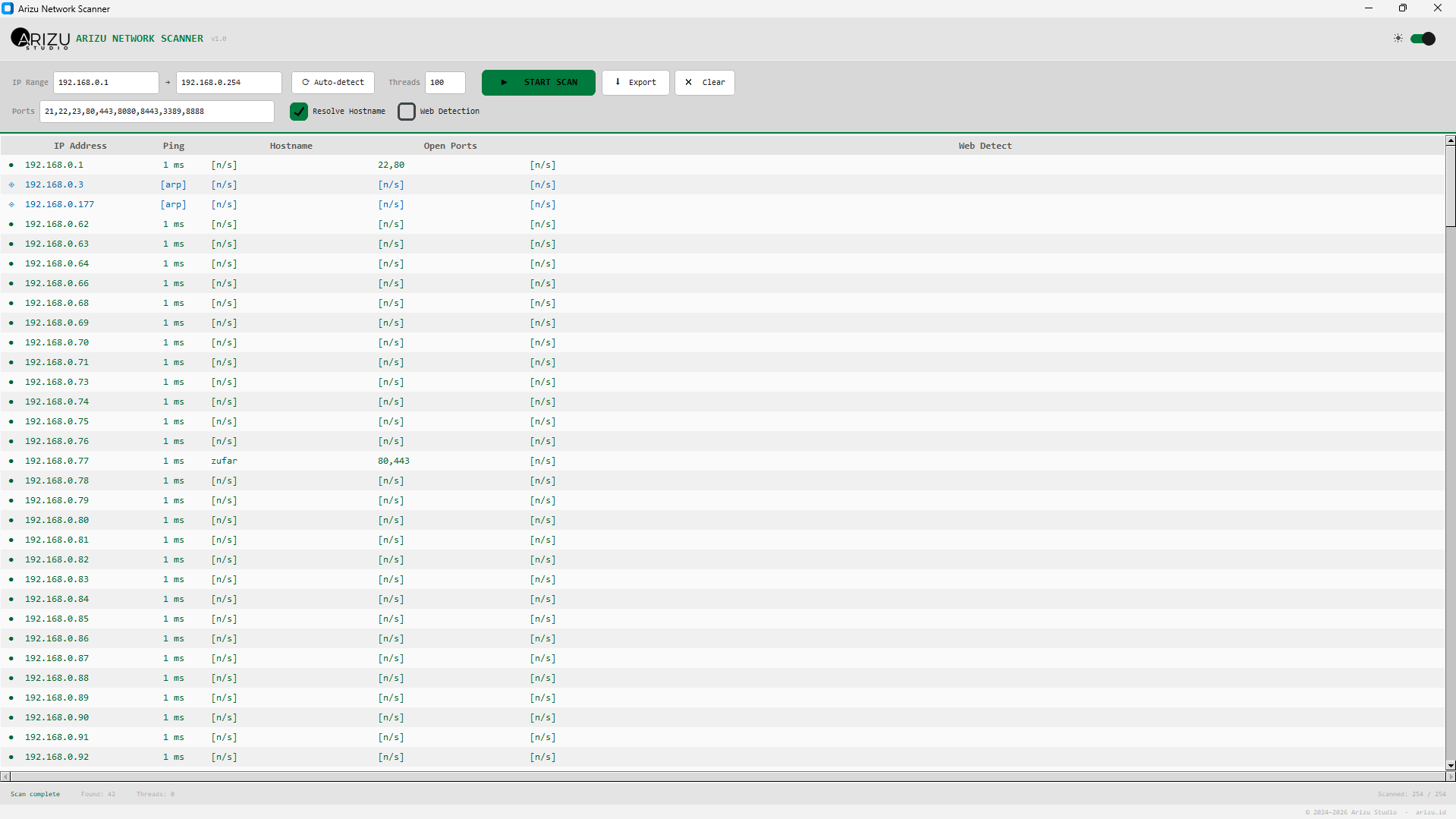
real-time scan results with device status indicators
A lightweight Python GUI tool that finds every device connected to your router — smartphones, IoT, printers — even those that block pings.
real-time scan results with device status indicators
Three independent methods working together so no device on your network goes unnoticed.
The classic ICMP echo request. Fast and accurate for PCs, servers, and most routers. Results show exact round-trip latency in milliseconds.
When ICMP is blocked, the scanner attempts TCP connections to common ports (80, 443, 22, etc.). Catches devices with software firewalls that still serve traffic.
The deepest layer. ARP operates below TCP/IP — no firewall can block it without losing network connectivity. Detects phones, smart TVs, and IoT devices that block everything else.
A complete local network discovery tool built with Python and a modern GUI.
Configure up to 500 simultaneous threads. Scan a full /24 subnet (254 IPs) in seconds with an ARP warm-up phase that pre-seeds device discovery.
Automatically probes HTTP and HTTPS on detected devices. Reveals router admin panels, IP cameras, NAS dashboards, and any embedded web server.
Resolve device names via DNS/NetBIOS. Instantly identify your PC, NAS, smart TV, or any named device without memorizing IP addresses.
Auto-detects your Windows/macOS/Linux system theme and applies it on launch. Toggle between dark and light mode anytime with a single switch.
Customize which ports to probe. Results show all open ports per device — useful for identifying services like SSH, FTP, RDP, HTTP, and more.
Save your complete scan results — IP, ping, hostname, open ports, web detect — to a CSV file for documentation, auditing, or further analysis.
Up and running in under a minute
Requires Python 3.9+ and one dependency: customtkinter. Install it with pip install customtkinter.
Enter your subnet range or click Auto-detect — the tool reads your local network and fills the fields automatically.
Choose ports, thread count, and detection options. Click Start Scan — results appear in real-time as devices are found.
Right-click any device to open its web interface, copy the IP, or ping it in terminal. Export the full report to CSV when done.
Every device gets a clear status icon so you know exactly how it was detected.
ICMP ping succeeded. Device is reachable and response time is shown in milliseconds.
Ping failed but a TCP port responded. Common for phones and firewalled PCs.
Detected at Layer 2 via ARP. Device is on the LAN but blocks all ICMP and TCP traffic.
No response on any detection method. IP is likely unused or the device is offline.
Engineered to find every device without missing a single one
Lightweight and cross-platform. Runs anywhere Python runs.